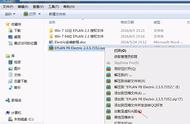
9.打开“eplan2.7\授权”文件夹,鼠标右击“Setup”,选择“以管理员身份运行”

10.点击“Next”

11.选择“I accept the license agreement”,然后点击“Next”

12.点击“Next”

9.打开“eplan2.7\授权”文件夹,鼠标右击“Setup”,选择“以管理员身份运行”
10.点击“Next”
11.选择“I accept the license agreement”,然后点击“Next”
12.点击“Next”












Copyright © 2018 - 2021 www.yd166.com., All Rights Reserved.